TIL: Customized iOS Full Page Screenshot
I stumbled upon this tweet and learned that you can create a customized “screenshot” on iOS using
𝚄𝙸𝚂𝚌𝚛𝚎𝚎𝚗𝚜𝚑𝚘𝚝𝚂𝚎𝚛𝚟𝚒𝚌𝚎𝙳𝚎𝚕𝚎𝚐𝚊𝚝𝚎.
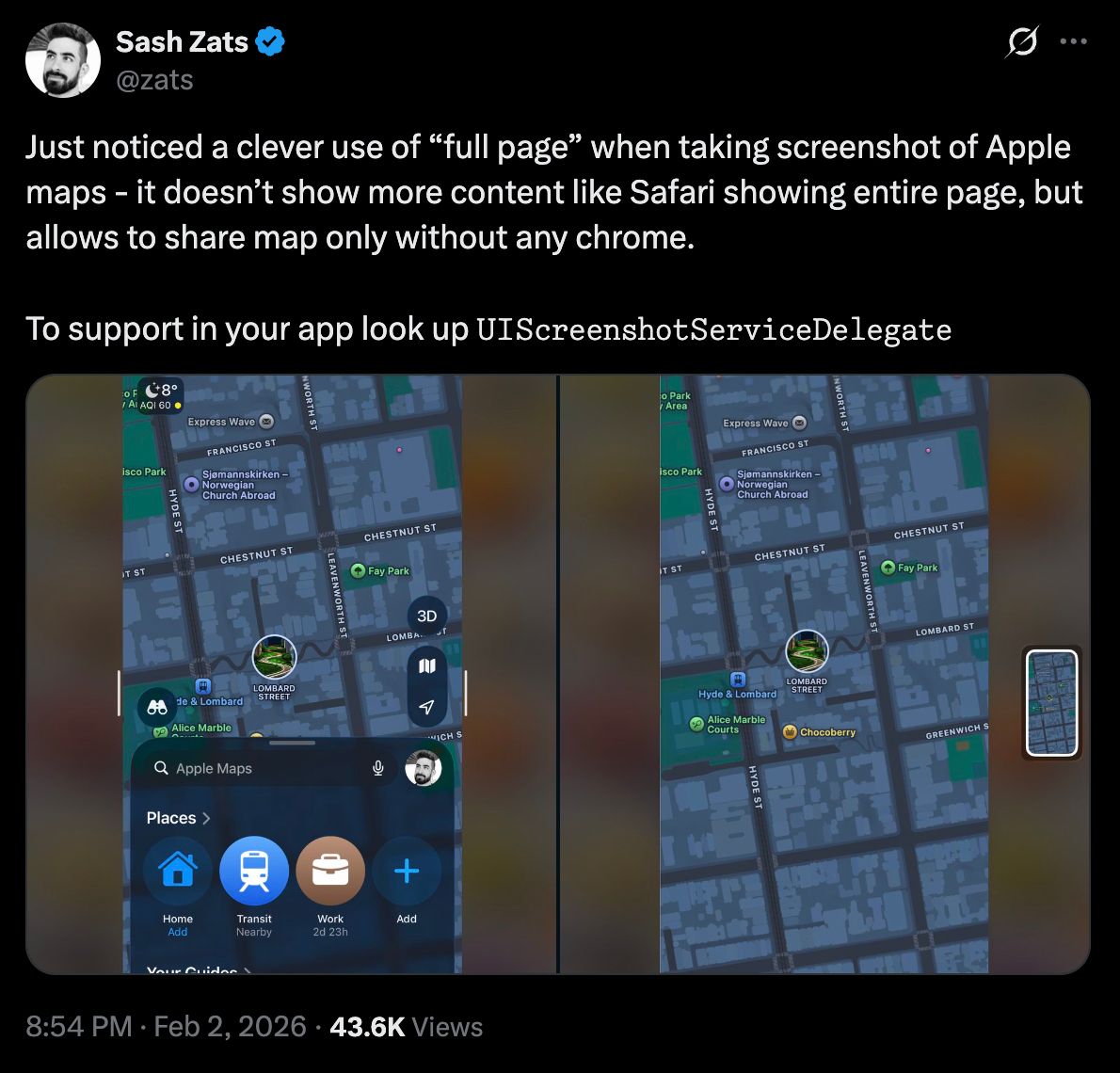
Just noticed a clever use of “full page” when taking screenshot of Apple maps - it doesn’t show more content like Safari showing entire page, but allows to share map only without any chrome. To support in your app look up UIScreenshotServiceDelegate
To be clear, I know about the full page screenshot feature but I didn’t know you can render anything you want.
I’m not a Swift developer but I’m slightly interested in learning more about native iOS development. So I decided to create a demo to replicate this with a vibe-coded mini app that shows a map and a bottom sheet. The full page screenshot shows a different view that includes an itinerary.
| Screen | Full Page |
|---|---|
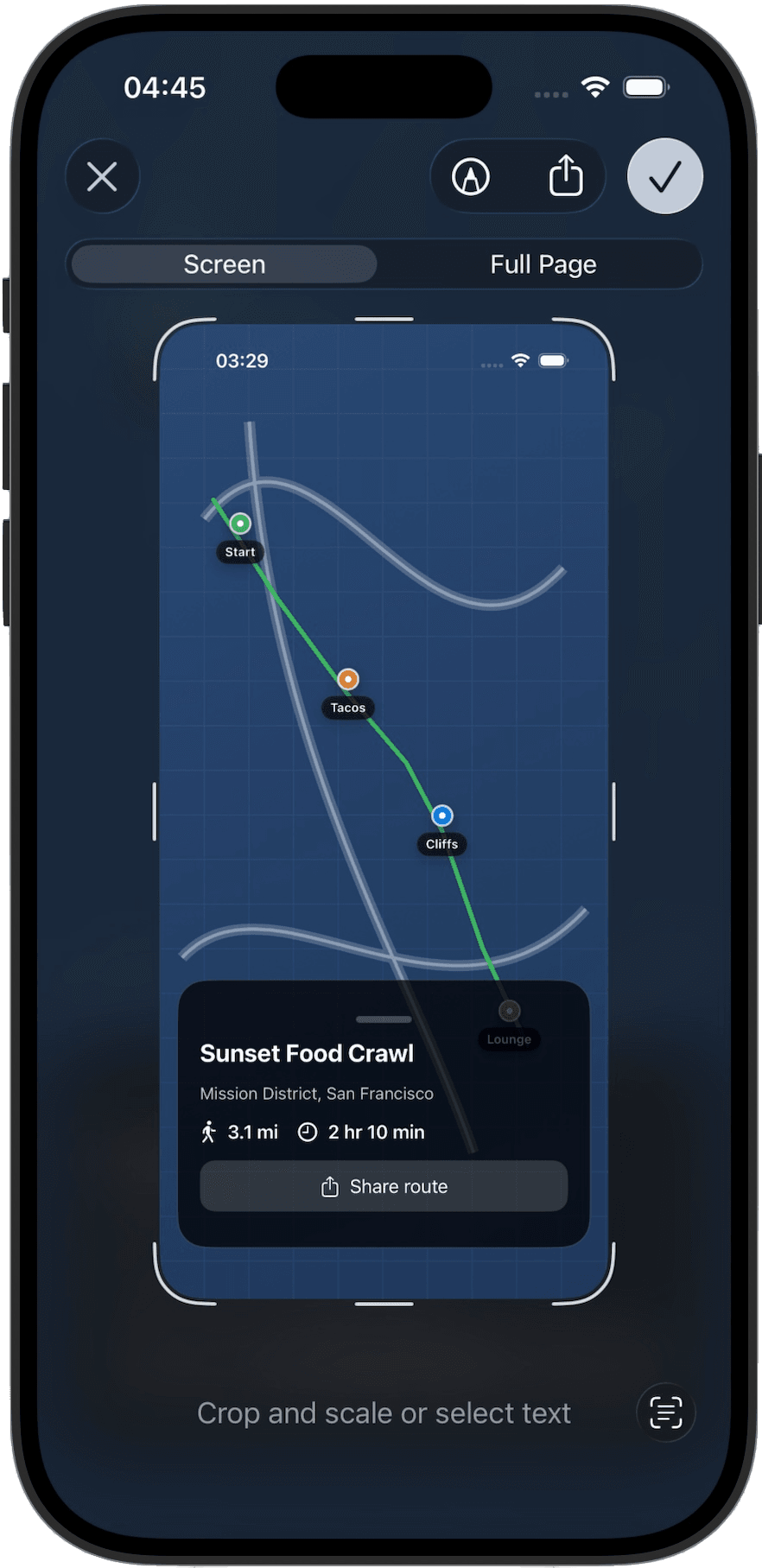 | 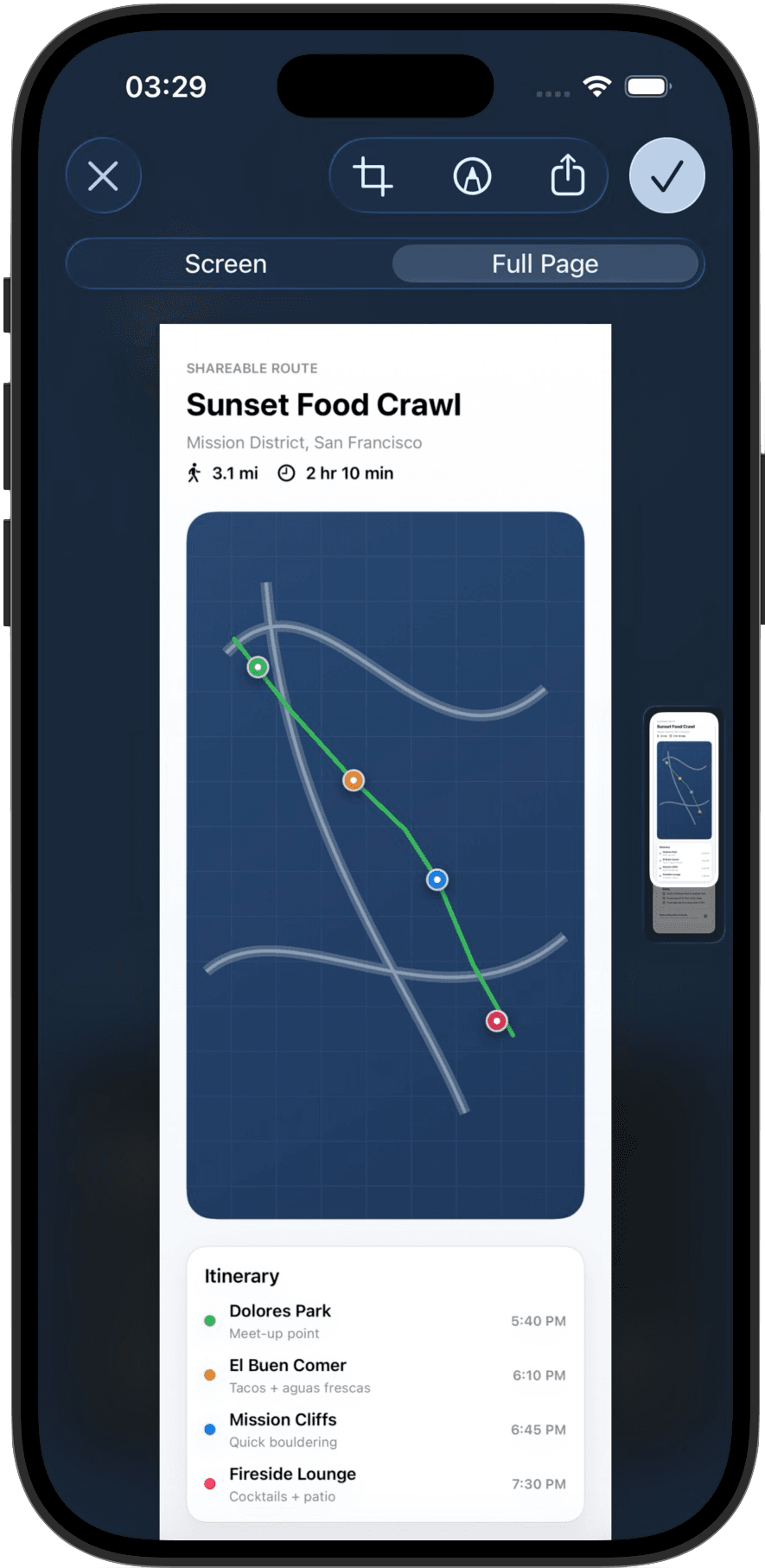 |
The way it works is that you implement the UIScreenshotServiceDelegate protocol.
iOS will call this method when it needs to generate a full page screenshot represented as a PDF.
@MainActorfinal class ScreenshotServiceHandler: NSObject, ObservableObject, UIScreenshotServiceDelegate {    // ...
    func screenshotService(        _ screenshotService: UIScreenshotService,        generatePDFRepresentationWithCompletion completionHandler: @escaping (Data?, Int, CGRect) -> Void    ) {        // Render the PDF representation here        // ...
        completionHandler(pdfData, indexOfCurrentPage, visibleRect)    }}
Check out the full code here.